Source Interactive Touch Kiosk for Education, Gaming, and Entertainment
Find 30 Interactive Touch Kiosk models with screen sizes from 21.5 to 65 inches. Buyers can compare specifications including capacitive and infrared touch types, Windows operating systems, and customization options for medical, public information, and educational applications.
Key considerations
Products List


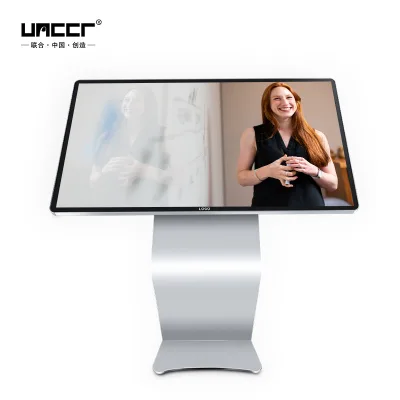
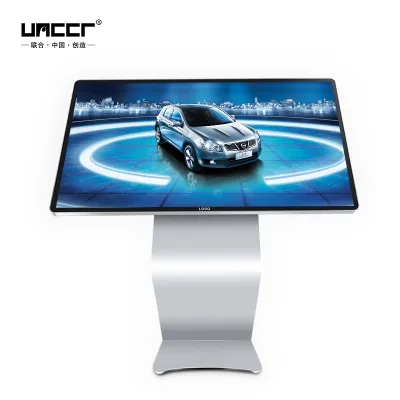
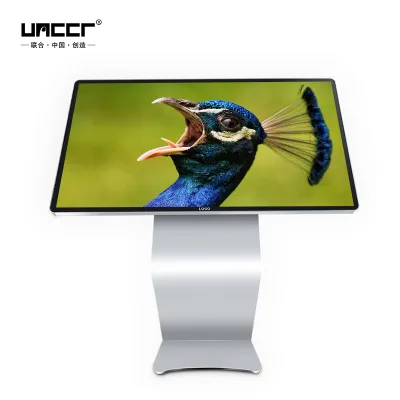
Factory 43 49 55 Inch Interactive Capacitive Touch Screen Table Kiosk
$1000.00 - $1100.00
MOQ: 2 Pieces

Factory New 21.5 Inch Stand Smart Windows Android Interactive Touch Screen Kiosk
$490.00 - $550.00
MOQ: 2 Pieces


Factory Price Smart Touch Screen Displays Interactive Touch Table for Kids
$1000.00 - $1100.00
MOQ: 2 Pieces




Comprehensive Sourcing Guide
Interactive Touch Kiosk Sourcing Guide
Sourcing an Interactive Touch Kiosk requires a disciplined approach to aligning hardware capabilities with specific operational environments. These units serve as critical interfaces for customer engagement, data collection, and information dissemination across diverse sectors. Buyers must navigate a market characterized by significant variation in screen technologies, mounting configurations, and software integration capabilities. The decision to procure a kiosk is not merely about acquiring a display; it is about selecting a robust hardware platform that can withstand continuous public interaction while delivering a seamless user experience. Understanding the distinction between different touch technologies and form factors is the first step in defining a precise procurement specification that prevents costly mismatches between supplier offerings and internal requirements.
The procurement landscape for these devices is fragmented, with suppliers offering everything from basic informational displays to complex, multi-touch interactive tables. Observed market signals indicate a wide range of screen sizes, from compact 21.5-inch units to large-format 65-inch displays, catering to varying spatial constraints and visibility needs. Buyers should recognize that "kiosk" is a broad term encompassing floor-standing units, wall-mounted panels, and interactive tables. Each form factor presents unique logistical and installation challenges. For instance, floor-standing kiosks require consideration of stability and cable management, while wall-mounted units demand precise structural support. Defining the exact use case early in the sourcing process ensures that the selected hardware supports the intended workflow, whether it involves education, gaming, entertainment, or public information inquiry.
Product Scope and Observed Listing Signals
The current market for interactive touch kiosks exhibits a broad spectrum of physical dimensions and technical configurations. Listings frequently highlight screen sizes ranging from 20 to 65 inches, allowing buyers to select hardware that fits specific footprint constraints. Common standard sizes observed include 21.5, 42, 43, 49, 55, and 60-inch displays, with some suppliers offering customized aspect ratios to suit unique branding or content requirements. The physical construction often combines durable materials such as arched glass and metal sheets to protect the underlying LCD screen from vandalism and wear. Buyers should verify the specific material composition, as the durability of the front panel is a critical factor in high-traffic environments where the kiosk will face frequent physical interaction.
Software and connectivity features are equally variable across different product listings. Many units are equipped with Windows operating systems, offering flexibility for running third-party applications, while others may support different platforms. Connectivity options typically include Wi-Fi, enabling wireless updates and remote management, which is essential for distributed deployments. Storage and memory configurations also vary, with some models offering 4GB of memory and 128GB of storage capacity to handle complex interactive applications. Buyers must carefully review the technical specifications of each listing to ensure that the hardware meets the computational demands of their intended software stack. Relying on generic descriptions can lead to performance bottlenecks, so verifying the exact operating system, memory, and storage specifications is a mandatory step in the evaluation process.
Technical Specifications to Verify
Touch technology is a primary differentiator among interactive kiosks, with capacitive, infrared, and resistive options available. Capacitive touch screens, often paired with arched glass, provide a smooth, glass-like surface that supports multi-touch gestures and offers high clarity, making them ideal for consumer-facing applications. In contrast, infrared touch screens, sometimes found in smaller or budget-oriented models, offer durability and lower cost but may lack the same level of tactile precision. Buyers must determine the required touch points and gesture support for their applications. For example, public information inquiry systems may benefit from the high responsiveness of capacitive technology, while simpler digital signage applications might suffice with infrared solutions. Verifying the specific touch type ensures that the user interface feels natural and responsive to end-users.
Screen resolution and display technology are critical for content legibility and visual impact. Most modern kiosks utilize LCD technology with Full HD resolution, ensuring crisp text and vibrant images. However, buyers should confirm the exact resolution and brightness levels, especially for environments with high ambient light. The mounting style, whether floor stand or wall-mounted, also impacts the viewing angle and accessibility of the kiosk. Additionally, the inclusion of special features such as integrated speakers, cameras, or barcode scanners can significantly enhance functionality but may increase complexity and cost. Buyers should create a checklist of required technical specifications, including screen size, touch type, resolution, operating system, and connectivity, to compare supplier offerings objectively. This structured approach minimizes the risk of selecting a unit that lacks essential features or includes unnecessary components.
Compliance and Safety Documentation
Regulatory compliance is non-negotiable for interactive kiosks deployed in public or commercial spaces. Buyers must verify that suppliers provide valid certification documents, such as CE, FCC, RoHS, and CCC, depending on the target market. These certifications confirm that the electronic components meet safety, electromagnetic compatibility, and environmental standards. For instance, CE marking is essential for sales within the European Economic Area, while FCC compliance is required for the United States. Buyers should request copies of these certificates and verify their authenticity with the issuing bodies. Relying on supplier assertions without documented proof can expose the procurement organization to legal liabilities and product recalls. Ensuring that all electrical and electronic components are certified reduces the risk of safety hazards and ensures smooth customs clearance during international shipping.
In addition to regulatory certifications, buyers should inquire about quality management standards and warranty terms. Certifications such as ISO9001 indicate that the supplier adheres to rigorous quality control processes during manufacturing. A standard warranty period of one year is common, but buyers should negotiate extended coverage for critical deployments. The warranty should clearly define what is covered, including parts and labor, and specify the process for claiming repairs or replacements. Buyers should also verify the packaging standards, such as carton boxes or flywood crates, to ensure that the kiosks arrive undamaged. Proper packaging is crucial for protecting the fragile glass and electronic components during transit. Understanding the warranty and packaging details helps in planning for long-term maintenance and minimizing downtime in case of hardware failures.
Cost Drivers and Commercial Terms
The price of interactive touch kiosks varies significantly based on screen size, touch technology, and customization options. Observed price ranges in the market span from approximately $317 to $1,650, reflecting the diversity of configurations available. Larger screens with high-resolution displays and advanced touch technologies command higher prices. Customization services, such as OEM or ODM solutions, logo printing, and tailored software integration, also add to the overall cost. Buyers should request detailed quotations that break down the costs of hardware, customization, and shipping. Understanding the cost drivers allows for better budgeting and comparison of different supplier proposals. It is important to note that the lowest price may not always offer the best value, as it might compromise on build quality or after-sales support.
Minimum Order Quantities (MOQ) and payment terms are other critical commercial considerations. Suppliers often set MOQs ranging from one to ten units, which can impact the total cost per unit due to economies of scale. Buyers should negotiate MOQs based on their deployment needs, especially for pilot projects or small-scale installations. Payment terms, such as deposits and balance payments upon shipment, should be clearly defined in the contract. Buyers should also consider the total cost of ownership, including installation, maintenance, and potential software licensing fees. Transparent commercial terms help in avoiding hidden costs and ensure a smooth transaction process. Establishing clear expectations regarding pricing, MOQ, and payment terms from the outset fosters a collaborative relationship with the supplier and reduces the risk of disputes.
Supplier Qualification and Quality Control
Evaluating supplier qualifications is essential to ensure the reliability and consistency of the interactive kiosks. Buyers should verify the supplier's manufacturing capabilities, including their production capacity, quality control processes, and experience in the industry. Suppliers with a strong track record in producing medical services systems or public information inquiry systems may offer higher quality standards. Buyers should request references or case studies to assess the supplier's ability to deliver on time and meet quality expectations. Additionally, verifying the supplier's location, such as Shenzhen, China, can provide insights into their supply chain efficiency and access to components. A well-established manufacturing base often correlates with better quality control and faster lead times.
Quality control measures should be integrated into the procurement process to mitigate the risk of receiving defective units. Buyers should implement pre-shipment inspections to verify that the kiosks meet the agreed-upon specifications. This includes checking the screen for defects, testing the touch functionality, and verifying the software installation. Buyers should also establish clear acceptance criteria and rejection procedures for non-conforming products. Regular communication with the supplier during the production process can help identify and resolve issues early. Implementing a robust quality control strategy ensures that the deployed kiosks perform reliably and meet the expectations of end-users. Investing time in supplier qualification and quality control pays off in reduced maintenance costs and higher customer satisfaction.
Long-Term Procurement Checks
Sourcing interactive touch kiosks is not a one-time transaction but an ongoing relationship that requires continuous monitoring and evaluation. Buyers should establish key performance indicators (KPIs) to assess supplier performance, including on-time delivery, product quality, and responsiveness to issues. Regular reviews of these KPIs help in identifying areas for improvement and strengthening the partnership. Buyers should also stay updated on technological advancements in the kiosk market, such as new touch technologies or display innovations, to ensure that their procurement strategy remains competitive. Periodic audits of the supplier's quality management systems can help maintain high standards over time. Continuous evaluation ensures that the supplier remains aligned with the buyer's evolving needs and market expectations.
Long-term procurement also involves planning for scalability and future upgrades. Buyers should consider the modularity of the kiosks and the availability of spare parts to facilitate easy maintenance and upgrades. Establishing a clear communication channel with the supplier for technical support and troubleshooting is crucial for minimizing downtime. Buyers should also negotiate favorable terms for future orders, such as volume discounts or priority production slots. By focusing on long-term relationships and strategic planning, buyers can secure a reliable supply of high-quality interactive kiosks that support their operational goals. This proactive approach to procurement management ensures sustained value and operational efficiency over the lifecycle of the deployed hardware.
FAQs
What customization options are available for the Interactive Touch Kiosk?
Customization is available for logos and specific product attributes. Buyers can request custom logos and tailored specifications to meet unique operational needs while maintaining standard warranty terms.
Which screen sizes are offered for the Interactive Touch Kiosk models?
Screen sizes range from 21.5 inches up to 65 inches depending on the specific model. Available configurations include 40-50 inch, 50-60 inch, and 20-30 inch options for various applications.
Can the Interactive Touch Kiosk be customized with a specific logo?
Yes, the logo can be customized to match your brand identity. This service is part of the available ODM and OEM capabilities provided by the manufacturers for these units.
What certifications do the Interactive Touch Kiosk products hold?
The products hold CE, CCC, FCC, RoHS, and ISO9001 certifications. These standards ensure compliance with international safety and quality requirements for medical, educational, and public information systems.
How is the Interactive Touch Kiosk packaged for shipping?
Packaging typically includes a carton box or a carton with flywood reinforcement. This ensures the units are protected during transit from the origin in Shenzhen, China to the destination.
What warranty period is provided for the Interactive Touch Kiosk?
A standard warranty of one year or 12 months is provided for the units. This coverage applies to the interactive touch tables and kiosks used in education, gaming, and entertainment.